
Short answer: I built the MVP of BudgetMate, a shared household budgeting app, by myself in one day. I spent the first half planning and prototyping in Claude Design until I had a 780-line spec with no open questions. I spent the second half building it in Claude Code. Most of the speed came from deciding what to build before any code existed. That's spec-driven development: the spec, not the prompt, is what the coding agent works from.
It isn't a toy demo. It has Google sign-in, a Postgres database with row-level security on every table, live sync between household members, four chart views, and a mobile layout I'd be happy to hand my mom.
I didn't get there by typing "build me a budgeting app" into a chat box. Here's how it went, including the parts that didn't go smoothly.
What problem does BudgetMate solve?
Most budgeting apps assume one person and one wallet. That isn't how many Filipino households run. Partners split the bills, a sibling covers the internet, and someone always asks "did we already pay Meralco?"
BudgetMate gives a household one shared budget. Each month gets its own tracker. Expenses sit in categories, and for each one, members record what they budgeted and what they actually spent. The app shows the gap per category and for the whole month.
The MVP came down to a few rules:
- Sign in with Google. Each user belongs to exactly one household and joins with a household code.
- Every member has the same permissions. No admin roles, no approval flows.
- Carry recurring bills forward by copying last month's expenses.
- Changes from other members show up live, without a refresh.
- Philippine peso only, entered by hand. No bank syncing, no receipt scanning.
The list of things I wouldn't build mattered as much as the list I would. Ownership transfer, removing members, multiple currencies, and native apps all went into the non-goals section on day one. When building gets cheap, scope creep gets cheap too, so the line has to be drawn early and in writing.
Step 1: How did I plan the MVP in Claude Design?
The first half of the day went into planning. Before I wrote any code, I had three working prototypes and a spec with zero open questions.
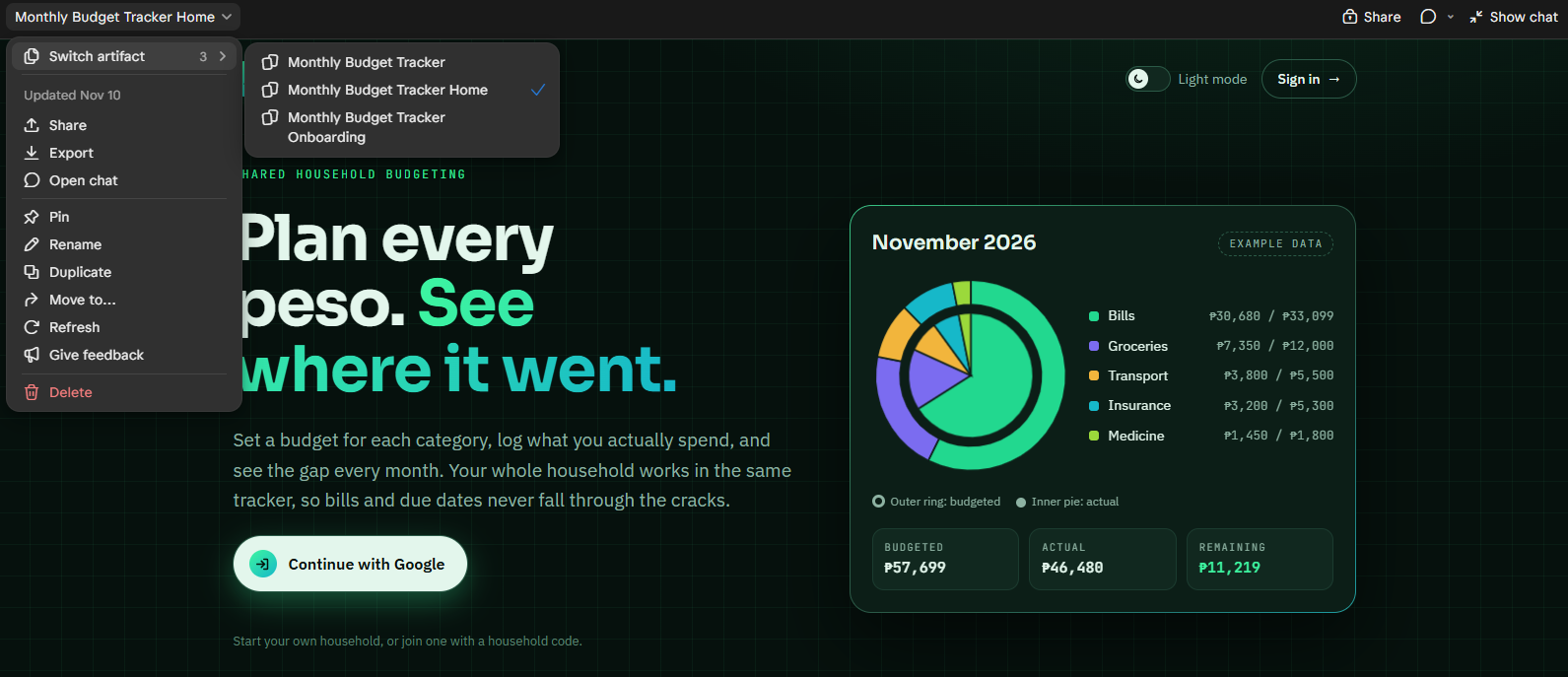
I started in Claude Design with the pages a user actually touches: the landing page, onboarding (create or join a household), and the monthly tracker. Seeing them clickable made gaps obvious. What happens when someone types a code with spaces in it? What does an empty month look like? Can the owner leave? Each question became a decision in the spec.
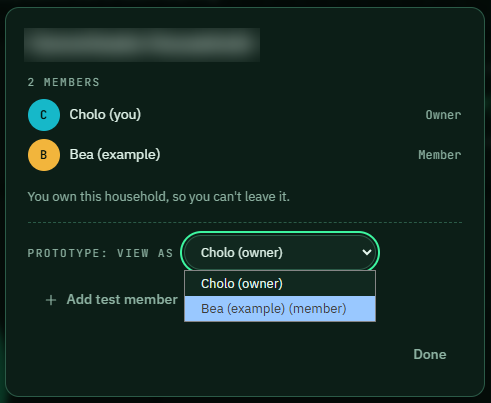
The prototypes faked things so I could move fast. They had a sample household, a "view as" switcher to act as another member, and fake loading delays. That was fine for exploring, but I had to be careful it didn't leak into the real app. So the PRD has a section that lists every piece of prototype scaffolding by name and says "this must not ship."
By the end, the PRD covered:
- Pages and the user flow, from sign-in to onboarding to the tracker.
- Business rules: households, codes, categories, expenses, and how money works (integer centavos, never floats).
- The data model, with row-level security for each table.
- Feature specs down to button labels and toast copy.
- An edge-case checklist and acceptance criteria.
- The design system: a deep green-black base, a mint accent, Sora and IBM Plex Sans, and monospace numbers.
It was about 780 lines long. That sounds like a lot for an MVP. But every line I wrote there was a question the coding agent wouldn't have to guess at.
Step 2: How did I build it with Claude Code?
The second half of the day was the build. The first working version came together right after the spec: 44 files and about 8,000 lines in a single commit.
The stack came straight from the PRD:
- Next.js 16 with the App Router and TypeScript
- Tailwind CSS, with the design tokens as CSS variables so light and dark mode flip cleanly
- Supabase for Google auth, Postgres with row-level security, and Realtime for live sync
- Hand-built SVG for the charts, with no chart library
- Vercel for hosting
Right after that first build, I added an AGENTS.md file to the repo. It's a short guide for the coding agent, and it became the most useful file in the project. It holds the rules that are easy to break: every schema change is a new migration, money is always integer centavos, dialogs never use alert(), and every update keeps its concurrency guard. Whenever Claude Code got something wrong once, the fix went into that file so it wouldn't happen again.
From then on, the loop was small and repetitive, in a good way:
- Pick one change, like "let members delete a month's tracker."
- Update the PRD section first, so the spec stays the source of truth.
- Let Claude Code implement it, including the migration and the RPC if the database is involved.
- Run typecheck and build.
- Have Claude Code open the app in Chrome with the Claude in Chrome MCP and walk through the PRD's test cases: the acceptance criteria and the edge-case checklist for that feature.
- Click through it myself on desktop and on a phone.
- Commit with a message that explains why, not just what.
The MVP was done after that first day. Since then I've kept iterating, adding the things I felt were missing: a private profile page for bank balances, monthly category allocations, and Bars, Status, and Trend chart views. Each one started as a PRD edit, not a prompt.
What went wrong, and what did I learn?
The agent wrote most of the code, but it didn't catch every problem. I found these by using the app, not by reading the code.
The slow first load
The tracker page took too long to appear. When I dug in, the page was making about five Supabase round trips in a row before it sent anything.
The fix had several parts. I verified sessions locally from the JWT instead of calling Supabase. I fetched the month's expenses in the same query as the household data. And I added a skeleton screen so the page never looks blank. None of this was hard. But nobody notices latency in a prototype with fake data, so it never came up during planning.
Two people, one expense
Live sync was required from day one, which meant thinking about conflicts. What if my partner and I edit the same bill at the same moment? Every update to an expense or category checks that the row hasn't changed since you opened it. If it has, you see a notice with a "Load latest" button instead of quietly overwriting their change.
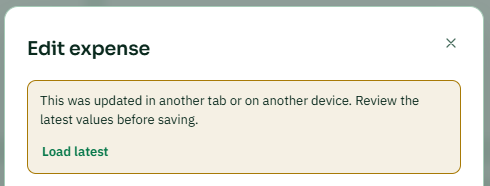
That worked on the first pass, with one gap. During QA I found the notice didn't appear when the change came from my own other browser tab. It was a small thing, but it's exactly the kind of case users hit in real life.
The Google button that wouldn't change color
This one was oddly stubborn. Google's sign-in button renders inside an iframe that can't see the page's CSS. When I switched themes, I got a white button on a dark page. Then, after fixing that, a white box appeared around the button.
The cause was a browser detail. When an iframe's color scheme differs from its page's, the browser paints an opaque backdrop behind it. One CSS property, color-scheme, fixed it, after a lot of squinting at screenshots.

Scope that kept growing
The hardest challenge wasn't technical. Deleting a month's tracker was a non-goal in the original spec. So was deleting a household. Both turned out to be obviously needed once I used the app with my own household's numbers. I added them, but only after updating the PRD's non-goals, edge cases, and acceptance criteria first. That kept the spec honest. It also stopped the agent from "helpfully" building features I hadn't agreed to.
Step 3: What did polish and QA look like before launch?
Before launch, I focused on making BudgetMate feel finished instead of adding features.
The app got a real name (it started life as "Monthly Budget Tracker"), a logo, and a landing page redesign. The logo is a budget ring with the spent slice pulled out. I also wrote down who the product is for and what its design system is, so later changes would stay consistent.
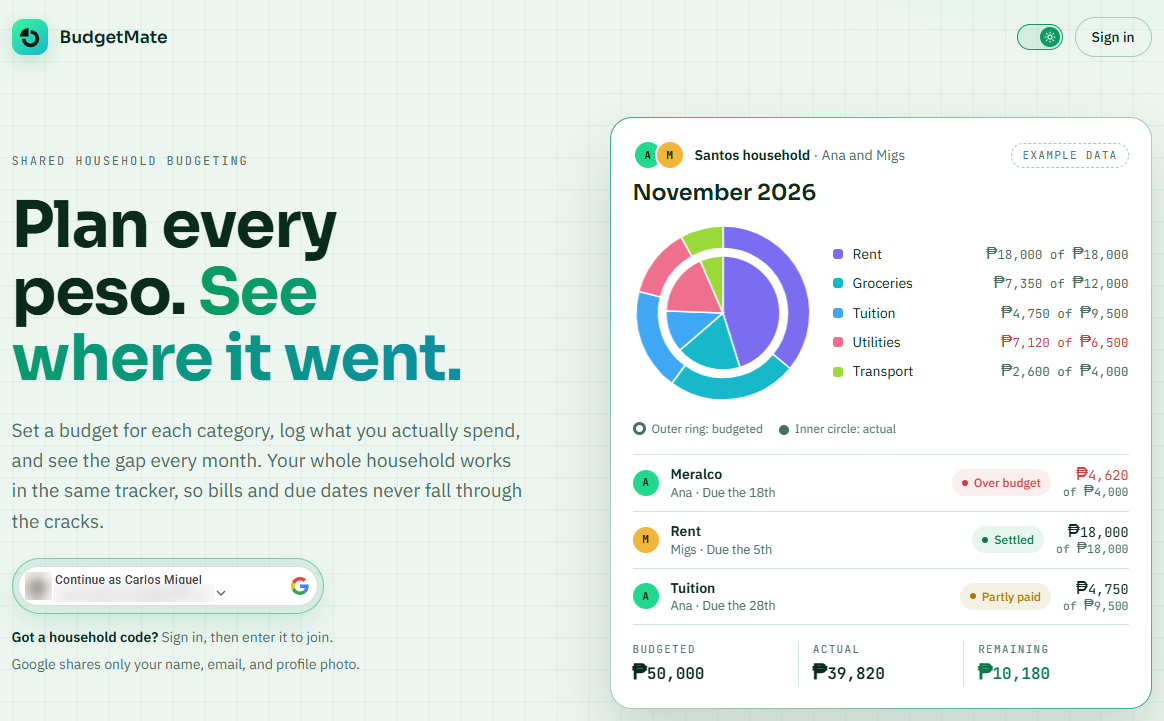
Then I did a proper pre-launch QA pass on phones and desktops. It turned up a list of small, very human problems:
- Pasting a household code like "Code: K7QM-XR4D" didn't work, because the input cut the text before cleaning it up.
- On phones, the month picker wrapped and pushed the Next month arrow off the card.
- Some buttons were smaller than the 40px touch target the spec requires.
- Typing a lone "." as an amount wasn't treated as blank.
- A sentence read "all 1 expense."
None of these would show up in a code review. They show up when you hold a phone and try to use the thing.
"The agent writes the code, but someone still has to be the user."
Carlos, Tech Lead at First Mate
How can you build an MVP with AI as one person?
If you're one person thinking about building an MVP with AI, here's what made the difference for me:
- Design before you build. A clickable prototype answers questions a written idea never will.
- Write the spec like the agent can't read your mind. Because it can't. Button labels, error messages, edge cases: if it matters, write it down.
- Write down your non-goals. AI makes extra features cheap to build. That's exactly why you need a line you don't cross.
- Keep a rules file for the agent. Every mistake you correct once should become a rule, so you never correct it twice.
- Change the spec first, then the code. It keeps the PRD true and keeps the agent from improvising.
- Use the app yourself, on a real phone. The agent is fast, but it isn't the person holding the phone.
Frequently asked questions
What is spec-driven development?
Spec-driven development means writing a detailed spec before any code, and having the coding agent build from that spec instead of from loose prompts. Every change starts as a spec edit. For BudgetMate, the spec was a 780-line PRD covering the user flow, business rules, data model, button copy, edge cases and acceptance criteria.
Can you really build an MVP in one day with Claude Code?
For a focused scope, yes. BudgetMate's first working version (44 files, about 8,000 lines, with auth, row-level security and live sync) came together in one day. It worked because the first half of that day went into a 780-line spec, so the build had no open questions left.
What is Claude Design used for here?
Planning. I used it to build clickable prototypes of the landing page, onboarding and the monthly tracker. Clicking through them surfaced the edge cases and decisions that went into the spec before any production code was written.
What goes in an AGENTS.md file?
The rules a coding agent is most likely to break in your project. For BudgetMate: every schema change is a new migration, money is integer centavos, dialogs never use alert(), and every update keeps its concurrency guard. Each time the agent makes a mistake, the fix becomes a new rule.
What did the AI miss?
Problems you only see by using the app: a slow first load from about five sequential database round trips, a conflict notice that didn't fire across your own browser tabs, a sign-in button that broke in dark mode, and small mobile issues like a 40px touch target that wasn't met.
Building something with AI?
BudgetMate went from an idea to a working MVP in one day, built by one person. That wasn't magic. It was a careful plan in Claude Design, a strict spec, and a tight build loop in Claude Code. You can try it at budgetmate.tech.
For two more builds like this, see how we shipped QueueMate in days with AI coding agents and how one engineer built StampMate with a team of AI agents. We also wrote up how we test AI-generated code.
This is how we work at First Mate. Our AI engineers scope the problem first, then build in small, tested steps. If you have an MVP in mind, estimate what it would take or get in touch. We'd love to help you figure out what to build and ship it fast.
Building something with AI?
First Mate is an AI engineer agency. Our product-minded AI engineers scope the problem before they build it. You can start with a rough cost and timeline, or talk to us directly.